Files in the conversation
Conversations, file previews and document references share a workspace.
 AEGIS
Request access
AEGIS
Request access
Bring existing workspaces, email views and local files closer to your conversations. One place to follow the work, with clear choices about what connects.
Messages, calls, files and documents belong close together. Aegis keeps them in one desktop app, with a local credential vault and tools for code alongside them.
Conversations, file previews and document references share a workspace.
A focused work inbox brings attention back to the people and conversations that matter.
Local files and an offline credential vault. Direct connections or your own relay. Optional models on your device.
From the first conversation to the work that follows.
 Aegis / Workspace study
Read the update. Open its document. Keep the discussion beside the work.
Explore Nexus Work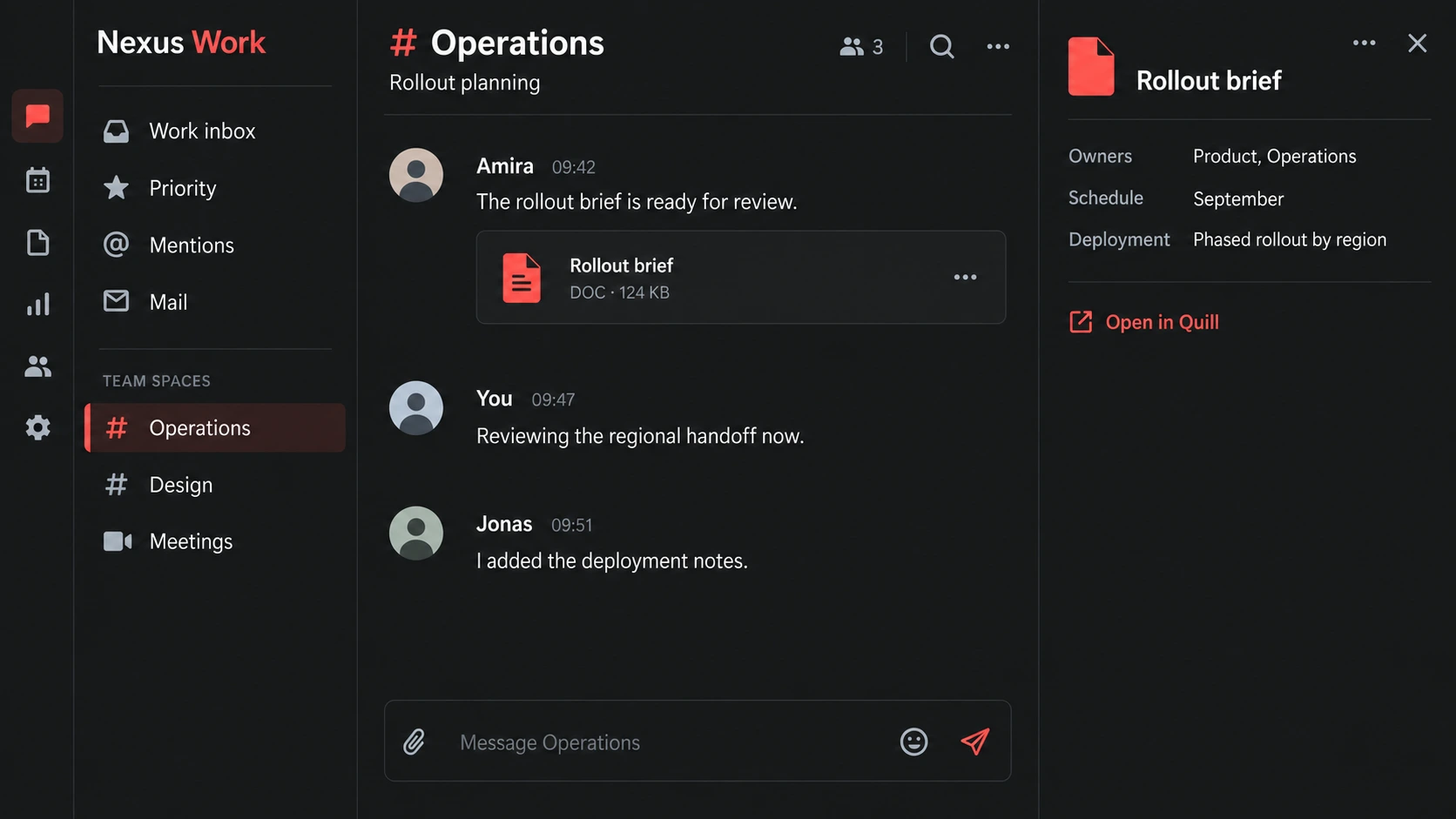
Link a note to the document behind it. Find the source again when the next question comes.
Explore connected documents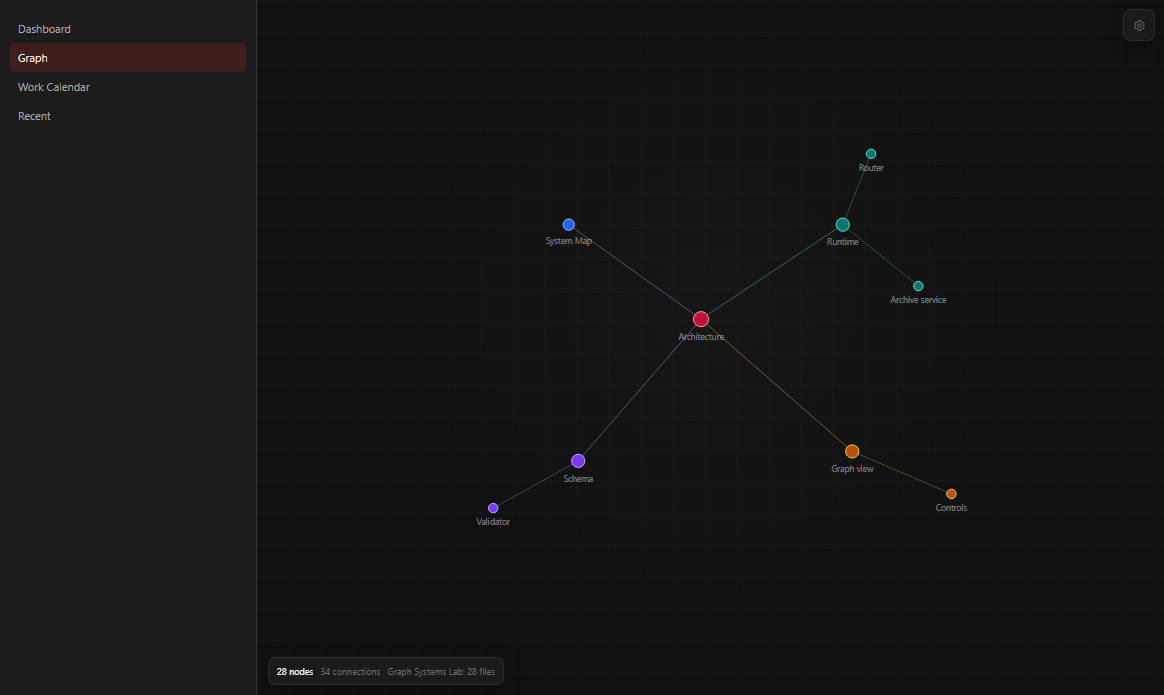
Your email, a team conversation, the project brief and a local folder belong to the same piece of work. Aegis brings their context closer without asking you to replace every tool at once.
Keep supported email and web-workspace views beside your local work. Sign in with the source provider; availability depends on the service and your setup.
Connected views · provider accounts still applyOpen local and already-synced folders. Work with documents, sheets, canvases and code in Quill, and link a reference back to its source.
Import and editing support vary by file formatNative cloud-drive connections and guided migration are in development. Google Drive / Docs work comes first; each additional provider gets its own delivery checks.
◷ In developmentA provider view keeps a service close; it does not imply native mailbox or drive synchronization. A local import brings a copy into Aegis. Live refresh, write-back, shared editing and migration each need verified provider and release support. We confirm the workflows you need during early access.
Aegis can connect to a compatible model running on your device. It is an optional way to get help with your work without requiring a hosted AI account or another cloud AI seat fee. Availability depends on the module and your local setup.
Aegis is being developed for Windows desktop first. Access is reviewed individually so we can confirm the fit and availability for your setup.
Choose your platform and intended use. Add optional context about the work you want to bring together.
We review your request and confirm the workflows and release availability relevant to you.
Invitations, installation and any team plan are agreed separately. A request does not grant download access.
No. Aegis brings communication and focused tools together for personal use as well as collaboration. Personal use is free. Nexus Pro is the planned paid workspace for groups and teams.
Local files and the credential vault live on your device. Communication still needs a network, and shared workflows or optional services can have separate storage requirements. Your deployment determines those boundaries.
Customer-hosted relay options can be planned during early access. Self-hosted routing is free; infrastructure costs are your own. Governed company workspaces and Nexus Pro team pricing are separate.
Local models are optional. Compatible models can run on your device where the module supports them. Any provider you choose separately can have its own costs.